Summarize this article with
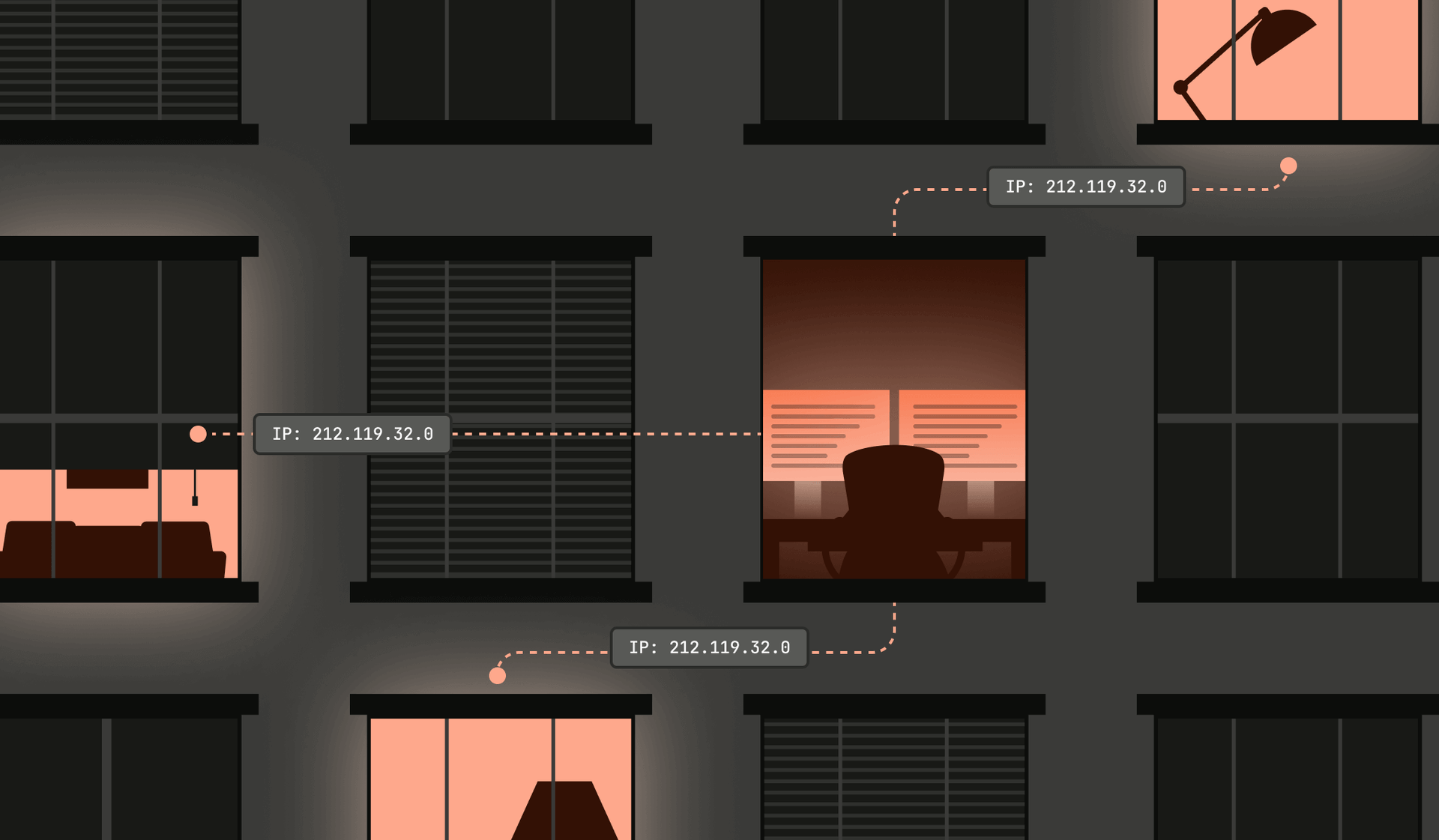
Are the IPs you trust working for someone else? If you have an online business, your site gets hits every day from what look like normal households. On the surface, it’s just regular traffic. Behind the scenes, however, some of those “ordinary” home connections are quietly rented out to whoever is willing to pay. Scrapers, fraud rings, bots testing stolen logins, bonus abusers chasing signup rewards, AI data harvesters, you name it: They all get to show up at your front door wearing someone else’s trustworthy-looking IP address.
This is all through the help of residential proxies. Attackers borrow the reputation of real people’s internet connections so they can walk past your IP-based defenses. And because blocking residential traffic outright is a great way to block real customers, many companies hesitate to treat these IPs as the risk they really are.
In this post, I'll break down how residential proxies work, how the ecosystem is built, and why simple IP checks can’t keep up. Then I'll show you how to spot when a “home” IP is actually part of a proxy pool so you can respond without blocking legitimate users.
Why fraudsters use residential proxies
To understand residential proxies, you first need to understand proxies. A proxy is a middle layer that routes traffic on your behalf, so the destination sees the proxy’s IP address instead of yours. A residential proxy works the same way, but instead of a commercial data center, the traffic comes through a real person’s home connection with an ISP-issued IP. To a website, it looks like a normal household user rather than an automated client using a proxy service.
This is the appeal. Data center proxies stand out and are easy to filter. Residential proxies look like someone on a home computer. The IP reputation comes from an actual household, and that's what attackers pay for. Most rate limits and allowlists assume residential = trustworthy human, so malicious traffic that comes through these networks gets an advantage by default.
Once attackers realized they could easily access this advantage, an entire industry built around selling trustworthy-looking traffic took off.
The business behind residential proxy networks
There’s real money in selling access to clean, trustworthy-looking connections. If you can offer a steady supply of household IPs that blend into normal traffic, you can sell them to anyone who needs to look like a real user. Traditional data center IPs are obvious and loud, while residential IPs are quiet and predictable.
So, where do these proxy networks get all their residential IPs to sell? Unfortunately, it’s not usually with the consent of the real user.
Compromised routers, cameras, smart TVs, and other IoTs
Fraudsters scan the internet for devices running with outdated firmware, weak default passwords, open remote-access ports, exposed auto-configuration services, or known but unpatched vulnerabilities. Once they compromise a device, their malware installs a small proxy component that listens on a high port and forwards traffic whenever instructed. These devices are rarely monitored, so the owner usually never notices unless their connection slows down or their ISP flags unusual activity.
Sneaky free VPNs
Free VPNs seem to be a top culprit. “If it’s free, you’re probably the product” especially applies here. Many of these apps give you encrypted browsing on the front end while quietly using your home connection on the back end to relay traffic for other users. The permission is usually tucked into a long “Terms of service” screen that people skip past without actually reading, which makes it look like consent, even though most users have no idea their home IP might end up forwarding scraping traffic or fraud attempts.
Apps that bundle sketchy SDKs
In this case, the app itself isn’t the problem. The issue is a third-party SDK buried within it. Developers add these SDKs for things like monetization, analytics, or performance optimization, but some of them include proxy components. The SDK runs a background service that can open local sockets, keep persistent network connections alive, and forward traffic when the proxy provider tells it to. On many Android devices, broad permissions make this possible without obvious user awareness. The user thinks they installed a simple utility or productivity app, but the hidden SDK has quietly turned their device into an exit node for a residential proxy network.
Bandwidth-sharing apps that promise passive income
These apps are more upfront, but the fine print still matters. They advertise themselves as a way to “earn money by sharing your unused internet,” and users sign up thinking they’re selling a little extra bandwidth. What actually happens is that the app installs a background service that accepts inbound traffic and relays it out through the user’s home IP. The result is the same. A user looking to make a few dollars ends up lending their home connection to whoever pays for access, which can include attackers, fraud operators, or any other buyer in the proxy marketplace.
Residential proxy networks at scale
Residential proxy networks operate at a scale that rivals major internet platforms, with hundreds of millions of IPs circulating through the ecosystem at any given time. Proxy-tracking companies report explosive growth, with one source logging 250 million unique residential proxy IPs in just 90 days.
The same device can also be reused across multiple providers and resellers that stack on top of each other, repackaging the same compromised or conscripted devices under different brand names. One physical device can end up sold through a dozen storefronts, each claiming millions of “fresh” residential IPs. A clear example of how big these networks can get in the real world is the Aisuru network.
Aisuru’s shift from loud DDoS to quiet proxy revenue
Aisuru burst onto the scene in 2024 as a DDoS monster with at least 700,000 IoT devices at its disposal. It has been responsible for launching multi-terabit attacks that pushed past the mitigation capabilities of most targets. One blast against KrebsOnSecurity hit 6.3 Tbps, and later assaults climbed toward 30 Tbps. These attacks drew attention not only because of their brute force, but because Aisuru had quietly infected so many devices across home routers, security cameras, and other cheap hardware.
But over the past year, Aisuru’s operators seem to have changed their approach. Flooding networks is noisy, and noise attracts both researchers and law enforcement. Renting out those same compromised devices as residential proxies is far more sustainable. Now, instead of blasting packets at victims, infected devices started accepting proxy commands and forwarding traffic for paying customers.
This pivot turned Aisuru into a massive source of residential exit nodes. Researchers tracking the botnet found perfect one-to-one matches between Aisuru-infected IPs and the pools advertised by certain proxy providers. In some cases, providers were openly marketing cheap residential IPs ideal for scraping that were directly linked back to Aisuru’s infrastructure.
They generated so much DNS traffic to their own domains that those domains appeared at the top of Cloudflare’s public rankings. This is the result of hundreds of thousands of infected devices checking in with Aisuru’s command-and-control servers so they could keep functioning as proxy nodes.
The scale alone was enough to distort Cloudflare’s popularity rankings, and they eventually had to redact Aisuru’s domains after they surfaced as some of the most frequently queried on the internet. With hundreds of thousands of infected devices behind residential ISPs, it’s easy to see how a single botnet can supply massive volumes of “home” traffic, hide large-scale scraping or fraudulent activity, and blend into legitimate user activity, which is exactly why IP-based trust signals have become so unreliable.
Why IP-based protections aren’t enough to detect fraud
Relying on IP addresses as a trust signal used to make sense. A residential IP meant a home user, and a data center IP usually meant automation. But today that line has fully blurred, and residential IPs are reused and resold to the highest bidder. Blocking a single “abusive” address can mean locking out an entire household, a dorm, or a small office with legitimate users. The pressure to avoid false positives often gives proxy traffic a free pass.
Whether it’s ticketing platforms hammered by bots that look like regular fans or proprietary data scraped by AI pretending to be real users, the bigger issue is that an IP address simply doesn’t tell you much anymore. It’s a cheap, disposable resource in criminal markets, and plenty of “trusted” residential IPs are anything but.
That’s why modern defenses have to look past the IP. Real protection means layering signals that are harder to fake: stable device fingerprints, signs of browser tampering, behavioral patterns over time, and proxy detection data that shows whether an IP is acting like part of a residential proxy pool. These signals work together to separate fraudsters and abusers from real customers.
How device intelligence can help detect residential proxies
Device intelligence shifts the focus from who an IP claims to be to what the device behind it actually is. Instead of treating a residential IP as inherently trustworthy, you look at the technical fingerprints and behavioral patterns that reveal whether the traffic is coming from a real person or from a device acting as a rented relay.
Good device intelligence captures details a proxy can’t fully hide. Alongside the user’s IP, you can see how the browser is configured, whether key APIs are missing, whether the environment looks tampered with, and whether the device presents a stable identity over time. You can tell when the same device appears across many unrelated accounts or jumps between regions in ways that real users don’t. You can even distinguish human behavior from scripted activity, even when the IP looks like a regular home connection.
Those signals give you room to respond with nuance. Instead of blocking every suspicious IP, you evaluate the underlying device and choose the right level of action. That can mean adding friction only when the device shows risk indicators, blocking actions that no real user would perform through a proxy, or feeding these insights into scoring models for better decision-making.
Powerful device intelligence, the easy way
Instead of stitching these signals together yourself, Fingerprint gives you industry-leading device intelligence out of the box through simple SDKs and APIs. You get a stable visitor ID for every browser and device, along with over 20 actionable Smart Signals that expose key characteristics happening behind the scenes.
This includes clear insight into residential proxy usage, browser tampering, automation patterns, virtualization, VPN behavior, and other indicators that separate real customers from traffic trying to pass as one. With that level of visibility, it becomes far easier to see through residential proxies and make decisions based on the actual device, not just the IP it’s hiding behind.
A new way to think about trusted traffic
Residential proxies break one of the oldest assumptions on the internet: that a home IP represents a real person. Today, it’s the exact kind of blind spot that attackers count on. The line that matters now isn’t residential versus data center, but transparent users versus traffic routed through a hidden middleman.
And that middleman isn’t going anywhere. With cheap, unsecured IoT hardware, massive botnets like Aisuru, and AI-driven scraping operations that need to blend in, residential proxies will only keep expanding. The practical move is to look beyond the IP address and dig into device and behavioral signals that can’t be bought for a few dollars. If you want to see how Fingerprint can help you separate abusers from real customers, get in touch or sign up for a free trial to see our Smart Signals in action.
FAQ
A residential proxy routes traffic through a real person’s home internet connection, making requests look like they come from a normal household. Attackers use them to bypass IP-based defenses and blend in with legitimate users.
Residential IPs often come from compromised IoT devices, free VPN apps, hidden SDKs in mobile apps, or bandwidth-sharing programs that quietly relay traffic through a user’s home connection.
Residential traffic looks legitimate because it comes from real ISPs and shared home connections. Blocking these IP addresses risks locking out actual customers, so many companies hesitate to take action.