Looking for Meta Muse, Grok Bot, or Instinct? Jump to detection →
Websites were always built by people and for people, but non-human traffic, including AI agents, has changed that. Around 25% of visitors to our own website are bots, and some of our customers see upwards of 50% non-human traffic, a figure that is still growing. Indeed, AI traffic now makes up the majority of requests on the web.
Fraud prevention in this new era of web traffic feels more like trying to outsmart a room full of chess-playing robots.
AI agents and other browser automations have taken over the fraud scene, running schemes that are faster, sneakier, and a lot harder to spot than anything we've seen before. Meanwhile, legitimate users are using AI agents to automate routine tasks, and more and more agents are trying to disguise themselves as normal human traffic.
It's important for fraud and risk teams to distinguish between traffic types. But how?
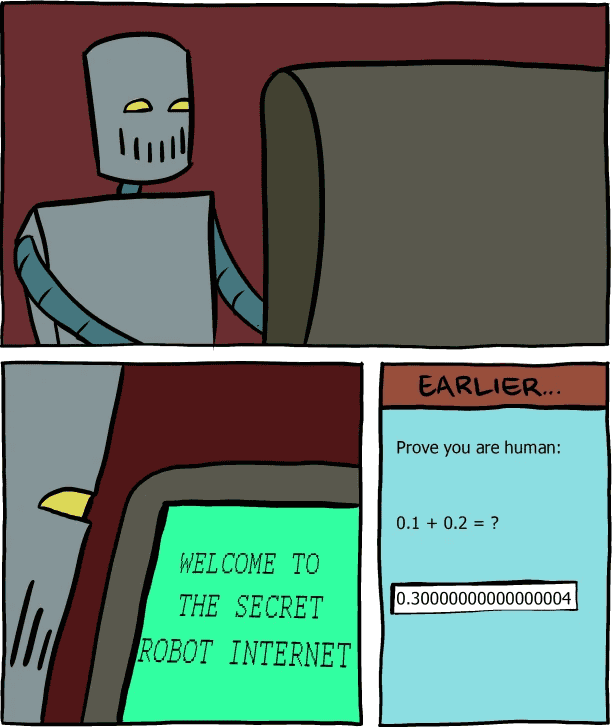
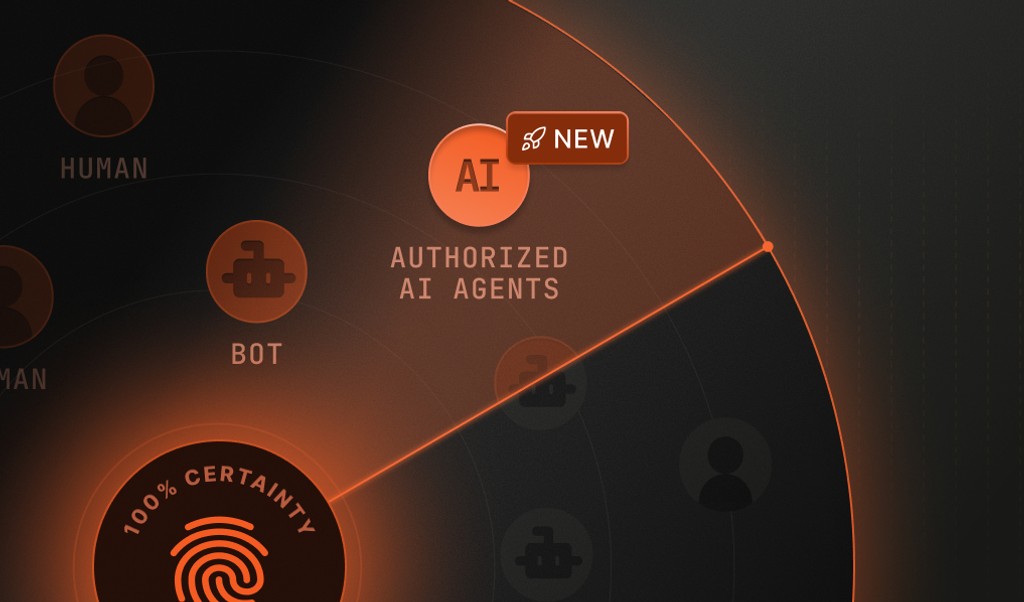
Detecting an AI agent comes down to two questions: Is an AI agent or bot driving the session? And if so, what is the identity of that agent or bot?
If your fraud defenses still rely on yesterday's tools, you're basically fighting a losing battle.
In this explainer guide, we’ll show you what AI agent fraud looks like today, why it's so challenging to detect it, and give you a step-by-step guide to expose fraud tactics and start detecting AI agents with device intelligence.
Why AI agent fraud is a headache for fraud teams
Remember when bots were clumsy, brittle, and easy to spot? Those days are long gone.
AI agents have changed the game completely. They can create fake accounts, write convincing reviews, adapt their tactics on the fly, and run around the clock. They scale up in seconds, adapt easily, and learn from their mistakes.
Traditional bots follow the same pattern every time. They're predictable, which makes them relatively easy to detect. AI agents, though, are more like shapeshifters blending into legitimate traffic and dodging basic detection tools.

They use machine learning to analyze your defenses and adjust their behavior.
Instead of just clicking through forms, they mimic human browsing, generate realistic content, and even adapt to changes in your site's layout or logic. Some AI agents can coordinate with each other, pulling off complex, multi-step fraud schemes that would make any fraudster jealous.
| What it is | What it does | How it runs | How Fingerprint spots it | |
|---|---|---|---|---|
| Traditional bot | A script that follows fixed rules | Repeats the same task at scale, like crawling pages, scraping prices, testing stolen credentials, or buying up limited inventory | Scripts or automated browsers | Automation traces and tampered or headless browsers |
| AI agent | An AI model that decides each step of a task | Completes multi-step tasks the way a person would, like signing in, filling forms, shopping, and checking out | A cloud-hosted browser, an agentic browser on the user’s own device, or an automation framework driving a browser | Device and network intelligence, plus a Web Bot Auth signature from agents that sign their requests, or known profile |
| AI assistant | An AI model that reads pages to answer a person’s question | Fetches and reads pages to answer a question a person asked in a chatbot such as ChatGPT or Claude | Direct requests from the provider’s servers, often without a full browser | Device and network intelligence, along with checking the claimed identity against provider IP ranges, reverse DNS or a Web Bot Auth signature |
This adaptability, coordination, and human-like behavior make AI agents much harder to detect and much more dangerous.
Signs you’re dealing with AI agent fraud
Even the slickest AI agents leave clues. If you know what to look for, you can tell the difference between a real user and a machine in disguise.

Here are some of the most common giveaways:
- Flawless grammar and robotic consistency: AI-generated content often looks a little too perfect. Think reviews with zero typos or messages that never slip up. Real people make mistakes. AI agents usually don't.
- Suspiciously uniform device setups: If you see a flood of new users, all with nearly identical device signals or browser configurations, that's a red flag. AI agents often run in virtual environments that leave behind repeatable patterns.
- Timing anomalies: Humans are, well, human. Our clicks and typing speeds vary. AI agents execute actions with robotic precision, like submitting forms at perfectly timed intervals.
- Mechanical navigation: Real users bounce around, get distracted, and click unpredictably. AI agents move through your site with unnatural efficiency, rarely deviating from their path.
- Shallow engagement: AI agents might mimic clicks and scrolls, but they often lack genuine interaction depth. They breeze through onboarding without exploring features or leave generic comments that don't match the context.
Spotting these patterns takes more than a quick glance at your logs. It requires analyzing user behavior and device details at scale, and that's where most legacy tools fall flat.
Why old-school bot detection doesn’t cut it
Still using CAPTCHAs or a list of basic bot rules? You’re already behind.

Here's why those defenses fail against AI agents:
- CAPTCHAs are a speed bump, not a wall. Modern AI can solve most CAPTCHAs faster than a bored teenager. Plus, CAPTCHAs annoy real users, causing more abandoned sessions than blocked fraudsters.
- Static rules are easy to outsmart. If your bot detection relies on fixed patterns, like blocking headless browsers or flagging rapid-fire submissions, AI agents will adapt. They can randomize their behavior, spoof device details, and even simulate human-like delays.
- False positives and negatives abound. Old-school tools either let too much slip through or annoy your best customers. Fraud teams end up chasing ghosts or ignoring mountains of irrelevant alerts.
AI agent fraud calls for smarter, more adaptive detection that can keep pace with evolving tactics without making life miserable for legitimate users.
How device intelligence exposes AI agent fraud
This is where device intelligence comes in. Instead of relying on a handful of clues, device intelligence platforms like Fingerprint combine over 100 device and browser signals to build a durable profile of every visitor.
First, Fingerprint assigns each visitor a unique visitor ID that stays consistent even if they clear cookies, use a VPN, or use incognito mode. This, along with signals like ProximityID, makes it easier to spot bots or rings of bots who are trying to pretend to be multiple people and commit fraud such as trial abuse, new account fraud, and AI token fraud.
When automated traffic comes to your website, Fingerprint detects and recognizes these visitors as browser automations, anti-detect browsers, and named AI agents, assistants, or bots.
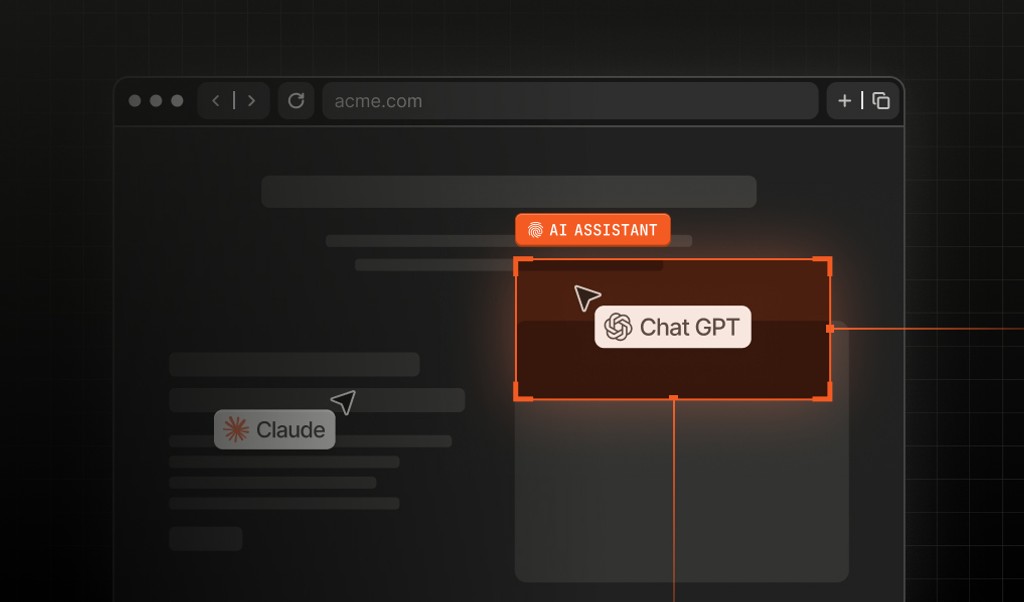
Bots, AI agents, and AI assistants can all interact with websites through browsers or direct requests. AI agents complete tasks for a person, such as booking a flight, while AI assistants read pages to answer a person's question, most commonly asked through chatbots such as ChatGPT or Claude.

Fingerprint provides complementary detection methods for these different traffic patterns: Browser-based detection and the Automation Intelligence API.
| Browser-based detection | Automation Intelligence API |
|---|---|
| Uses signals collected by the Fingerprint JavaScript agent on your web pages to detect browser automation and other techniques, with additional context from signals such as browser tampering, IP intelligence, and high-activity. | Evaluates request data at the edge without requiring client-side JavaScript. It identifies supported AI agents, AI assistants and other bots, using evidence such as provider IP ranges, reverse DNS or Web Bot Auth signatures to verify identity where available. It can be integrated at the edge, in middleware, or on your backend. |
The two methods work together.
Fingerprint co-founder and CTO Valentin Vasilyev noted this when announcing AI Assistant Detection in June: relying on only one leaves a blind spot.
Using Smart Signals to catch advanced fraud tactics
Device identification is just the start.
Fingerprint takes it further with more than two dozen Smart Signals designed to spot even the most advanced fraud tactics without making life harder for your real users.
Here's how some of these Smart Signals help against AI agent fraud:
- Bot Detection: Identifies bots, browser automation, and AI agents in the browser, and names the agent when it can. The Automation Intelligence API evaluates requests at the edge without client-side JavaScript, identifying supported AI agents, AI assistants, and other bots. Both work in the background, so they never interrupt real users.
- Browser Tampering Detection: AI agents and fraudsters often try to hide their tracks by tweaking browser settings or using anti-detect browsers. This Smart Signal flags those efforts, making it harder for fraudsters to stay invisible.
- Proxy Detection: Many AI agents hide where their traffic comes from by routing it through residential or data center proxies, which makes cloud-hosted automation look like ordinary home or office visitors. Fingerprint's Proxy Detection Smart Signal flags these connections, revealing when a visitor is relaying requests through a proxy.
- High-Activity Device and Velocity Signals: AI agents can create hundreds of accounts from a single device or rotate through IP addresses at lightning speed. Velocity Signals detect unusual spikes in device activity, so you can spot coordinated attacks before they spiral out of control.

Other Smart Signals, like Virtual Machine Detection, add even more context, helping you distinguish between a real user and a fraudster running an army of AI agents.
Steps to detect AI agents with Fingerprint
Whether you want to measure AI agent traffic, check who is behind it, or decide how to respond, the setup is the same.
Step 1. Create a free Fingerprint account
Sign up for a free account, then add the Fingerprint JavaScript agent to the pages you care about most, such as sign-up, login and checkout.
Step 2. Check the Bot Detection result for each visit
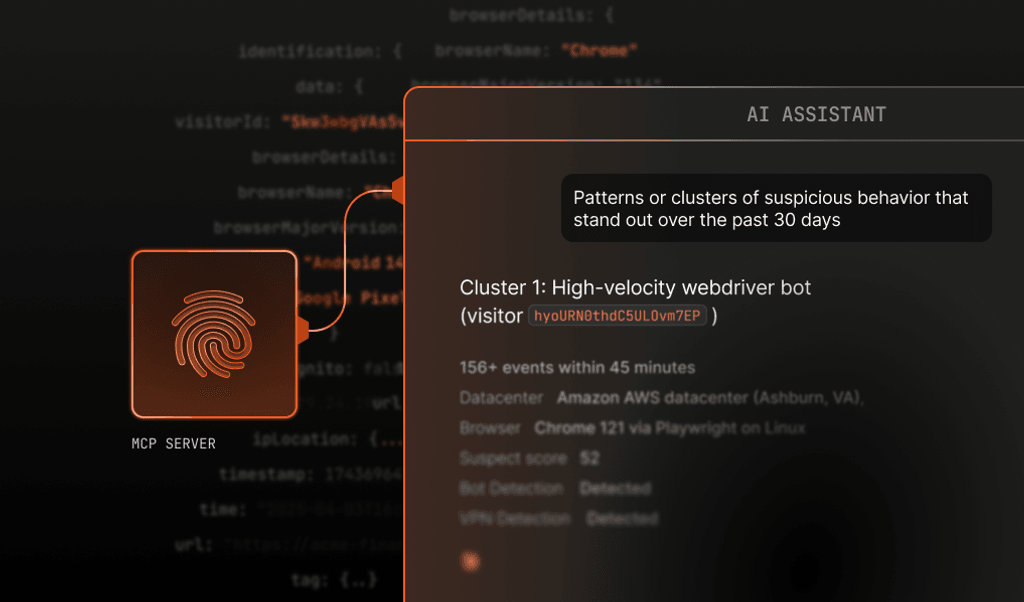
The Bot Detection Smart Signal returns whether each visit is automated and, when it can, which bot or AI agent is behind it. Query the Server API or MCP server for bot_type, or filter the dashboard by bot name.
A result for an AI agent that hides its identity looks like this:
{
  "bot": "bad",
  "bot_type": "meta_muse",
  "bot_info": {
    "category": "ai_agent",
    "provider": "Meta",
    "name": "Muse",
    "identity": "unknown",
    "confidence": "high"
  }
}
bot_type names the agent, category says whether it is an AI agent, AI assistant, or another kind of bot, identity shows whether it proved who it is, and confidence shows how sure Fingerprint is when the identity is inferred.
Here, "bad" means the agent didn’t declare a verifiable identity, not that it is malicious.
Step 3. Add the Automation Intelligence API for requests that skip the browser
AI assistants and many agents send direct requests from their provider’s servers without running JavaScript. The Automation Intelligence API evaluates those requests at the edge, in middleware or on your backend, and checks each claimed identity against Web Bot Auth signatures, provider IP ranges and reverse DNS.
Step 4. Set policies by identity and by flow
Use Fingerprint’s rules engine or your own systems to decide what happens next. For example, let verified AI assistants read public pages, step up verification when an agent with an unknown identity reaches a login or account change, and block requests whose identity comes back as spoofed.
Can the identity of an AI agent or AI assistant be verified?
Through the Bot Detection Smart Signal and the Automation Intelligence API, every Fingerprint result for an AI agent carries an identity field with one of four values: "signed", "verified", "unknown", or "spoofed".
>>What's the difference between "authenticated", "verified", and "authorized"? Read our explainer.
An AI agent is "signed" when each request carries a signature created with Web Bot Auth. Fingerprint checks every signature against the provider's published public key, which confirms which platform sent the request. Some platforms let any customer build and run agents, though, so a signature tells you the platform rather than which customer is directing the agent.
"verified" goes a step further: the signature is verified and the agent is operated exclusively by its provider.
"unknown" means Fingerprint recognizes the AI agent but the AI agent offered nothing to check, and "spoofed" means a visitor claimed an identity and failed the check.
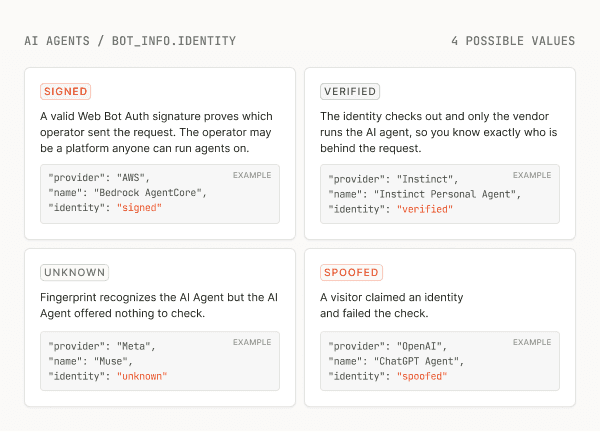
In comparison, AI assistants are identified as "verified", "unknown", or "spoofed".
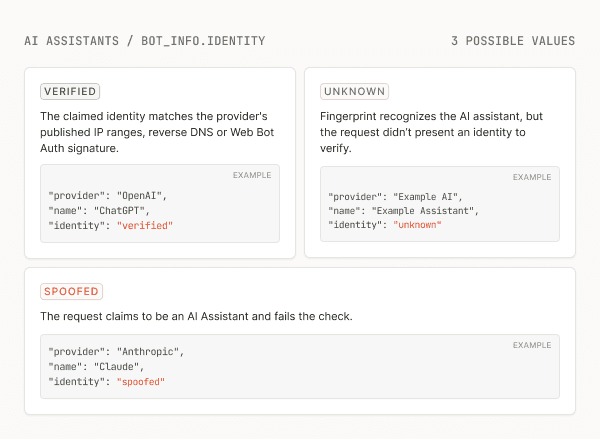
Even AI agents built to avoid detection can be named, as Fingerprint does with Meta Muse.
AI agents and AI assistants Fingerprint can detect and verify
Fingerprint detects more than 100 bots, AI agents, and AI assistants by name, all listed in the Fingerprint Bot Directory.
Here are some of the most common bot types we detect, from the assistants people use every day to agents that try not to be noticed.
- AI assistants: ChatGPT, Claude, Gemini, Perplexity, and others fetch pages when a person asks a question. Fingerprint verifies them against each provider’s published IP ranges, reverse DNS or Web Bot Auth signatures, so impersonators come back as spoofed.
- AI agents from major AI providers: OpenAI’s ChatGPT Agent signs its requests with Web Bot Auth, and AI coding agents such as Anthropic’s Claude Code, OpenAI’s Codex and Cursor are named when they reach your site.
- Agent platforms that sign their requests: AWS Bedrock AgentCore, Browserbase, Manus and Anchor Browser sign with Web Bot Auth, so Fingerprint confirms which platform sent each request.
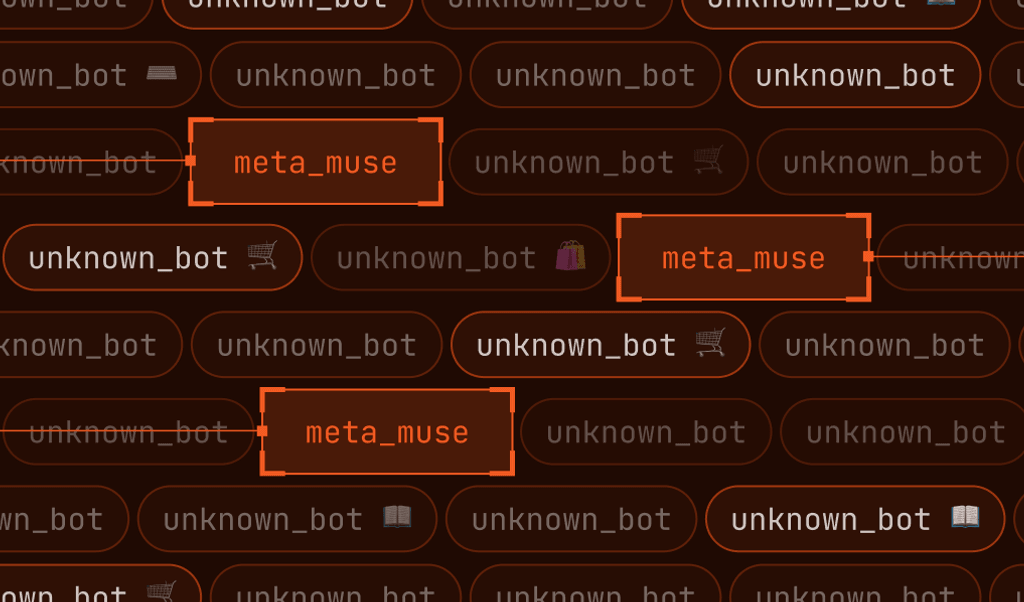
- Meta Muse: Meta’s personal AI agent runs every task in a cloud browser and disguises itself as an ordinary visitor. It offers no identity to check, so Fingerprint names it from device intelligence.
- Instinct: the invite-only AI agent people text to book and buy online signs in with its users’ saved credentials and doesn’t identify itself.
- Grok Bot: xAI’s always-on AI agent signed its requests with Web Bot Auth until October 2026, then stopped. Fingerprint confirms its signed requests and detects its unsigned traffic.
Agents that hide their identity change often, so Fingerprint’s research team adds detection as new ones appear. Learn more about Fingerprint’s AI Agent Detection.
Spoofing is already a real problem
In our 2026 State of AI Traffic in Financial Services report, we noted 4 out of 5 leaders said that a bot had slipped past perimeter defenses by posing as a legitimate AI assistant.
As the report takeaways post explains, incidents like this are exposing financial organizations to a number of new AI threat types and risks, including:
- Automated script account takeover
- Competitive data scraping
- Leakage of customer data
- Account origination fraud
- Reverse engineering of APIs
- Skewed marketing analytics
As legitimate and malicious automation increasingly arrive through the same workflows, verifying what is actually behind each request is becoming a core part of fraud prevention.
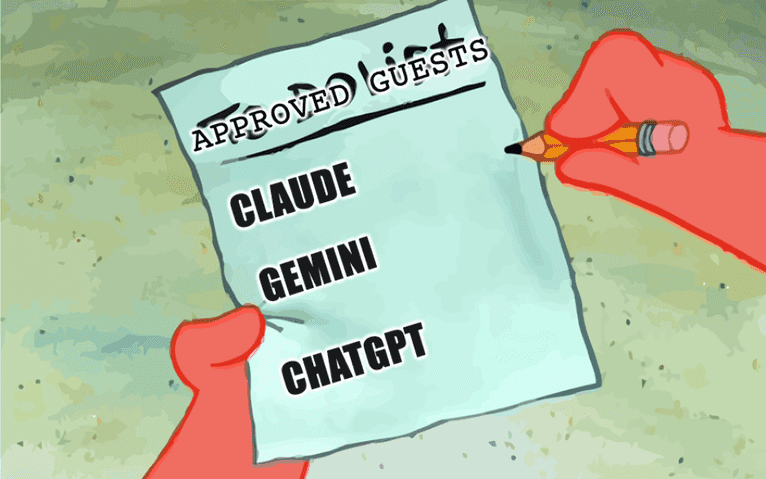
Fingerprint can verify AI assistants such as ChatGPT, Gemini, and Claude, so a request claiming one of those names from outside the provider's IP ranges is probably an impersonator.
Four tips for balancing security and user experience
It's tempting to respond to AI agent fraud with heavy-handed defenses, but blocking everyone at the door isn't the answer.
Here's four tips to keep your platform secure without driving away real users:
- Use layered defenses: Let device intelligence do the heavy lifting in the background. Only step up authentication or verification when something truly looks suspicious.
- Monitor and adapt: AI agent tactics evolve quickly. Regularly review flagged activity, update your response rules, and tune your risk thresholds. Fingerprint provides valuable insights into the shape of your traffic, so you can see whether that latest hot AI agent is just hype or if genuine visitors to your site are trying to use them.
- Minimize friction: Avoid intrusive verification steps unless absolutely necessary. Most users should never notice your fraud defenses.
- Stay informed: Keep up with the latest fraud trends and detection techniques. AI-driven fraud isn't going away, and neither is the need to adapt.
Future-proofing identity verification on an increasingly humanless internet
Web Bot Auth gives AI agents and AI Assistants a way to identify themselves, but many don’t use it yet. Blocking all bots is no longer practical when some of them act for real customers, so companies want a clear picture of their automated traffic before deciding how to respond.
Fingerprint reads device signals even as they change, along with the IP address and ASN (autonomous system number) that show which network each request came from. That separates people, suspicious automation, and AI agents that don't identify themselves, such as Instinct or Meta Muse.
Bot Detection, which detects browser automation, is one of more than two dozen Smart Signals included on Fingerprint Pro Plus and Enterprise plans. Our Automation Intelligence API adds AI agent and AI assistant detection at the edge.
The Automation Intelligence API is free to use during its public preview, with an additional charge after general availability.
Catch AI Agents and AI assistants in the browser and at the edge.
You can get started for free today and start identifying traffic in minutes. Or talk to one of our experts about setting up Bot Detection and Automation Intelligence for your team.