Summarize this article with
AI agents and automated crawlers are becoming a normal part of how the internet works. They index content, run workflows, power AI assistants, and interact with websites and APIs at scale. But for the sites receiving that traffic, a fundamental question remains: How do you know which bots are legitimate?
Legacy identification methods have real limits. User-Agent strings can be easily spoofed, and maintaining IP allow lists is time-consuming, expensive, and easy to game anyway. None of these approaches gives you confidence in who is actually sending a request, which is exactly the problem that Web Bot Auth (WBA) is designed to solve.
What is Web Bot Auth?
Web Bot Auth is an emerging open standard currently progressing through the Internet Engineering Task Force (IETF) that enables automated clients to cryptographically sign their HTTP requests. A bot operator generates an asymmetric key pair, hosts their public key in a discoverable directory, and signs outbound requests using their private key. Any server that receives a signed request can then verify the signature against the published public key, confirming the request actually came from who it claims to be.
The standard is built on two active IETF drafts: a directory draft that defines how bots publish and rotate their keys, and a protocol draft that defines how those keys are used to sign individual HTTP requests. Fingerprint supports signed AI agent detection built on the same foundation.
For legitimate bot and agent developers, this is worth paying attention to. Sites that adopt WBA-aware infrastructure can grant verified bots differentiated access, bypass friction, or surface richer metadata about the automated traffic they are receiving, and getting your implementation right now puts you ahead of the curve.
How Web Bot Auth signing actually works
At the HTTP level, a properly signed WBA request includes three headers:
Signature-Inputdefines the components being signed and the parameters of the signature, including atagset toweb-bot-auth, akeyidmatching the JSON Web Key (JWK) thumbprint of your signing key,createdandexpirestimestamps, and anonce, which is strongly recommended to reduce replay risk.Signaturecontains the actual cryptographic signature over those components.Signature-Agentis a header that points to your key directory, making it easier for servers to discover and cache your public key without out-of-band coordination.
An example request header collection looks something like this:
Signature-Agent: "https://your-bot.example.com"
Signature-Input: sig1=("@authority" "signature-agent")
  ;created=1735689600
  ;expires=1735693200
  ;keyid="poqkLGiymh_W0uP6PZFw-dvez3QJT5SolqXBCW38r0U"
  ;alg="ed25519"
  ;nonce="3q2+7oBVKDJKNGHs1A9pYQ=="
  ;tag="web-bot-auth"
Signature: sig1=:jdq0SqOwHdyHr9+r5jw3iYZH6aNGKijYp/EstF4RQTQdi5N5YYKrD+mCT1HA1nZDsi6nJKuHxUi/5Syp3rLWBA==:
Getting all of this right involves a few moving parts. Fingerprint requires Ed25519 keys, and your key directory needs to be hosted over HTTPS at /.well-known/http-message-signatures-directory, with the directory response itself signed to prevent someone else from mirroring it and registering on your behalf.
Validate your implementation with our free, public endpoint
Once you have your signing logic in place, the obvious next question is: Does it actually work?
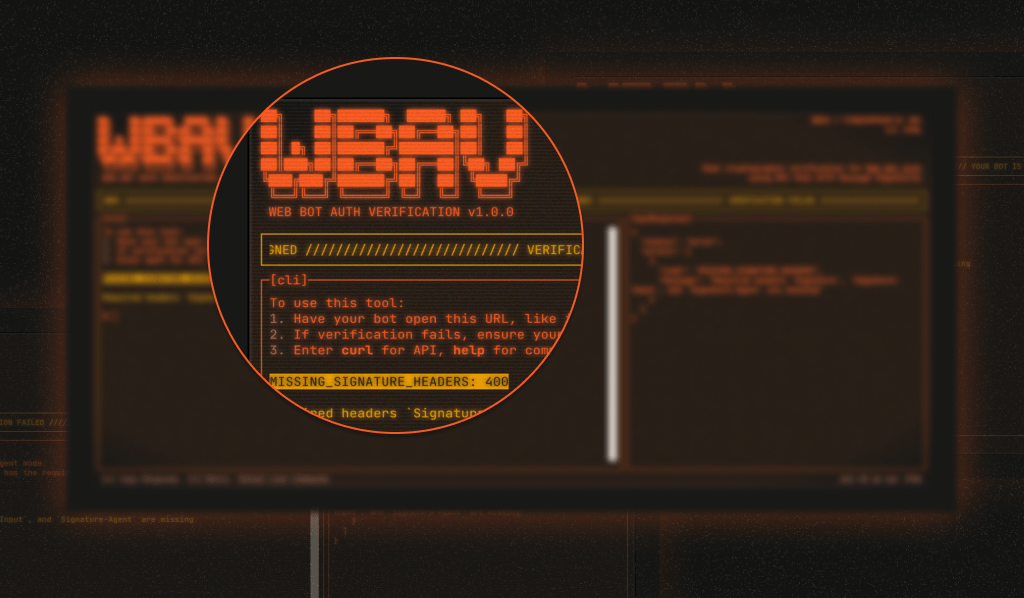
Our Web Bot Auth testing page is a free, public endpoint where you can send a signed request and get clear feedback on whether your signature validates correctly. No account required and the testing tool is open source, with a frontend repo and backend repo available. Whether you're implementing WBA for the first time, debugging an existing setup, or just want a quick sanity check after rotating keys, it removes the guesswork before your bot ever hits production.
When your bot signs requests correctly, sites using Fingerprint Bot Detection can identify it as a signed bot rather than treating it as unknown automated traffic. That gives both sides of the interaction better information to work with.
Getting started with Web Bot Auth
If you're new to WBA, here's the short version of what you need to do:
- Generate an Ed25519 key pair and convert your public key to JWK format
- Host your key directory at
/.well-known/http-message-signatures-directoryover HTTPS, with the directory response signed using your private key - Sign your bot's outbound HTTP requests with the
Signature-Input,Signature, andSignature-Agentheaders - Send a test request to fingerprint.com/web-bot-auth/test/ to confirm everything validates
For a full walkthrough, check out the WBA implementation guide in our docs. Once your implementation is working, you can also register your agent with Fingerprint so it's recognized as an authorized bot, and you can control how it's represented to sites using our platform.
Cryptographic identity is where bot verification is heading
WBA is still an emerging standard, but it's gaining real traction. Major platforms such as Cloudflare, AWS, and Akamai have already integrated support, and bot operators, including OpenAI, Browserbase, and Manus, are signing their requests today. As AI agent adoption grows, that list will only get longer. If you're building a bot or AI agent that needs reliable access to sites that care about traffic quality, getting your implementation in order now is worth the effort. Start by testing your signed requests and go from there.
FAQ
Web Bot Auth (WBA) is an emerging IETF standard that enables automated bots and AI agents to cryptographically sign their HTTP requests, allowing servers to verify their identity with confidence rather than relying on spoofable signals such as User-Agent strings or IP addresses.
You need to generate an Ed25519 key pair, host your public key in a discoverable directory over HTTPS, and sign your outbound requests with three headers: Signature-Input, which defines what's being signed and when it expires; Signature, which contains the cryptographic signature itself; and Signature-Agent, which points to your key directory.
Fingerprint provides a free public testing endpoint at fingerprint.com/web-bot-auth/test/ where you can send a signed request and get immediate feedback on whether your signature validates correctly. No account required.